Best AI Video Tools for Employee Onboarding: 5 Tools We Tested
Published 2026-08-05 · 12 min read
AI video tools can help teams create repeatable welcome messages, company introductions, and role-specific onboarding content without organizing a new filming session for every update. To compare the actual creation experience, we tested Synthesia, HeyGen, Colossyan, Descript, and Pictory with the same fictional new-hire scenario.
Our brief welcomed an employee named Vivian to Astralyn AI Tech and included the mission: “Our mission is to connect human ideas with artificial intelligence.” The shared scenario gave us a consistent way to inspect templates, prompt handling, presenters, script editing, previews, and timelines.
We retained original screenshots and the resulting test videos as evidence of these workflows. This is not a claim that one tool is best for every organization. For broader planning, see our AI training tools and employee training guides.
Quick Comparison of the Five Tools
| Tool | Workflow tested | What stood out in our session | Consider it when |
|---|---|---|---|
| Synthesia | Template and scene-based avatar video | Training/onboarding templates and structured script editing | You want a formal, avatar-led welcome video workflow |
| HeyGen | AI-assisted avatar video creation | A direct path from onboarding brief to editable scenes | You value an avatar-first, visually guided editor |
| Colossyan | Template-led presenter video | Onboarding templates and clear pre-generation preview notice | You prefer structured scenes and presenter-led content |
| Descript | AI-assisted creation plus script, audio, and timeline editing | Presenter/voice suggestions and a flexible editing timeline | Editing control matters alongside AI assistance |
| Pictory | Prompt-to-script and visual video workflow | The prompt became an onboarding script organized around the brief | You want to start with a written idea and shape the result |
How We Tested AI Video Tools for Employee Onboarding
We entered the same core company, employee, and mission details wherever the workflow allowed. We then inspected the path from starting point to editable onboarding video: templates, prompts, script structure, presenter or visual selection, preview behavior, and timeline controls.
The sessions were practical editorial tests, not controlled laboratory benchmarks. We did not independently verify HRIS integrations, SCORM support, LMS tracking, analytics, enterprise administration, or every provider claim. Product interfaces can change, so verify purchase-critical features with the provider.
Synthesia — Structured Onboarding Video Workflow
We browsed Synthesia's template library and found dedicated training and onboarding categories. That made it straightforward to begin with a structure intended for workplace communication rather than a blank canvas.
In the editor, we created a welcome video for Vivian at Astralyn AI Tech, edited the script and scenes, included the company mission, and reached the generation stage. The workflow felt structured and suited to a formal presenter-led introduction. Our observations relate to this test only; we did not independently test its complete onboarding integrations or enterprise controls.
See the full Synthesia review or our Synthesia vs HeyGen comparison.
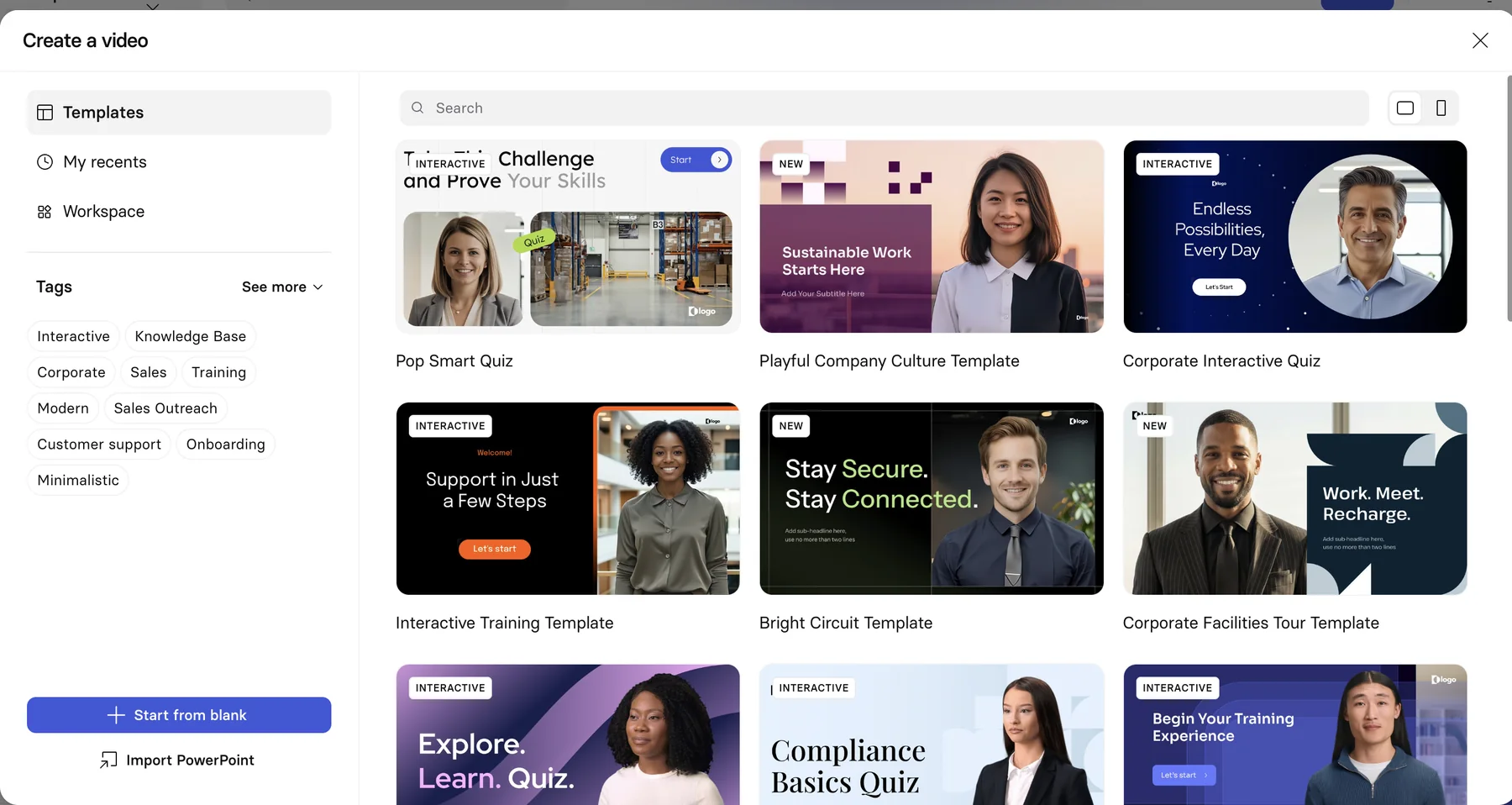
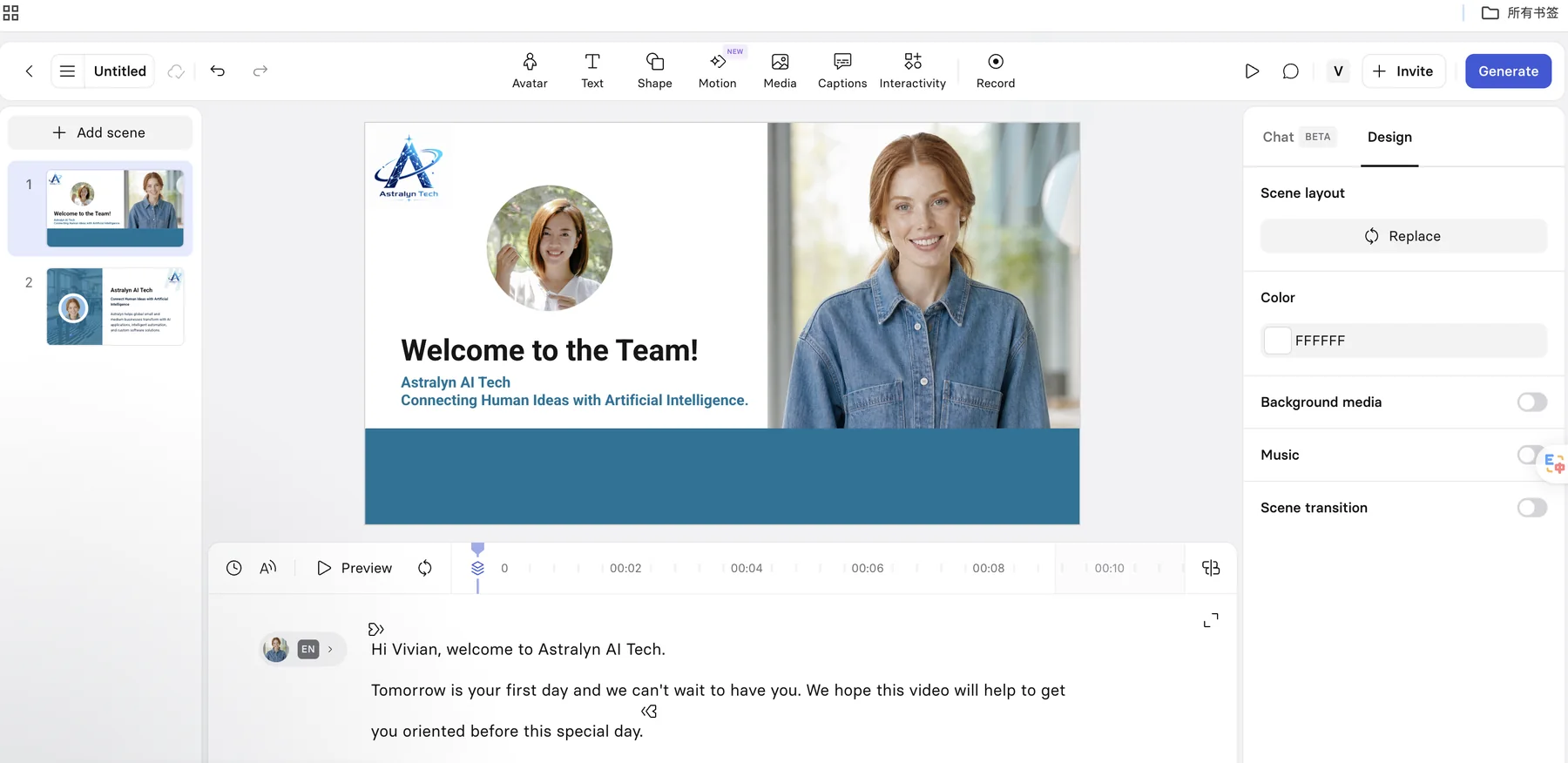
Watch our Synthesia employee onboarding test video.
This video documents one practical workflow, not a standardized quality or performance benchmark.
HeyGen — AI-Assisted Onboarding Video Creation
HeyGen's dashboard presented workplace-oriented starting points, including team onboarding and corporate training. We used its AI-assisted creation flow for the same Astralyn brief and then worked with the resulting onboarding scenes in the editor.
The workflow was approachable and visually guided in our session. We could inspect the presenter, scene layout, and mission statement while shaping the welcome video. This onboarding test did not include the later voice-cloning work used in a separate compliance-training test, so we do not treat voice cloning as evidence from this scenario.
See our HeyGen review and HeyGen vs Colossyan comparison.
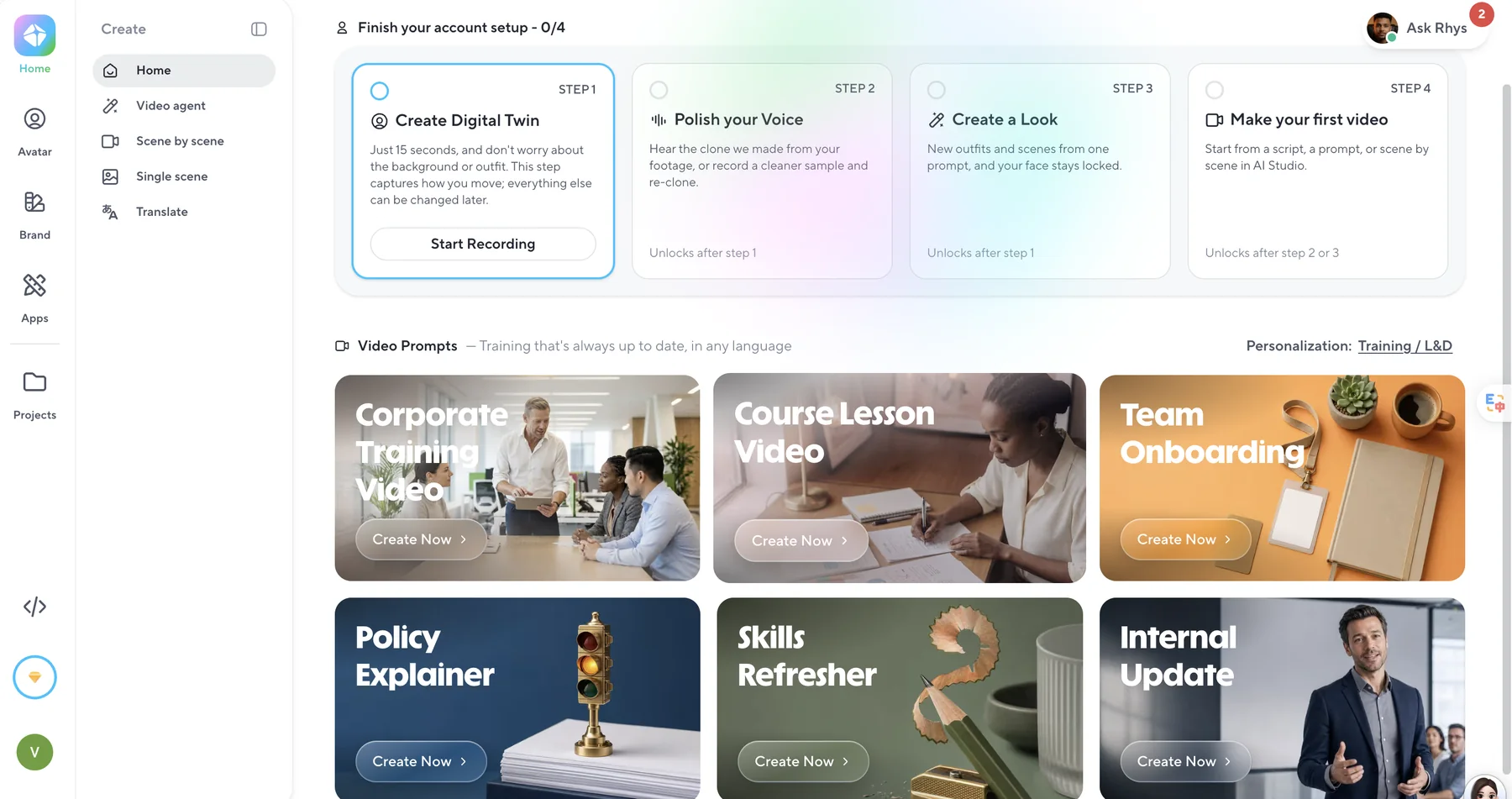
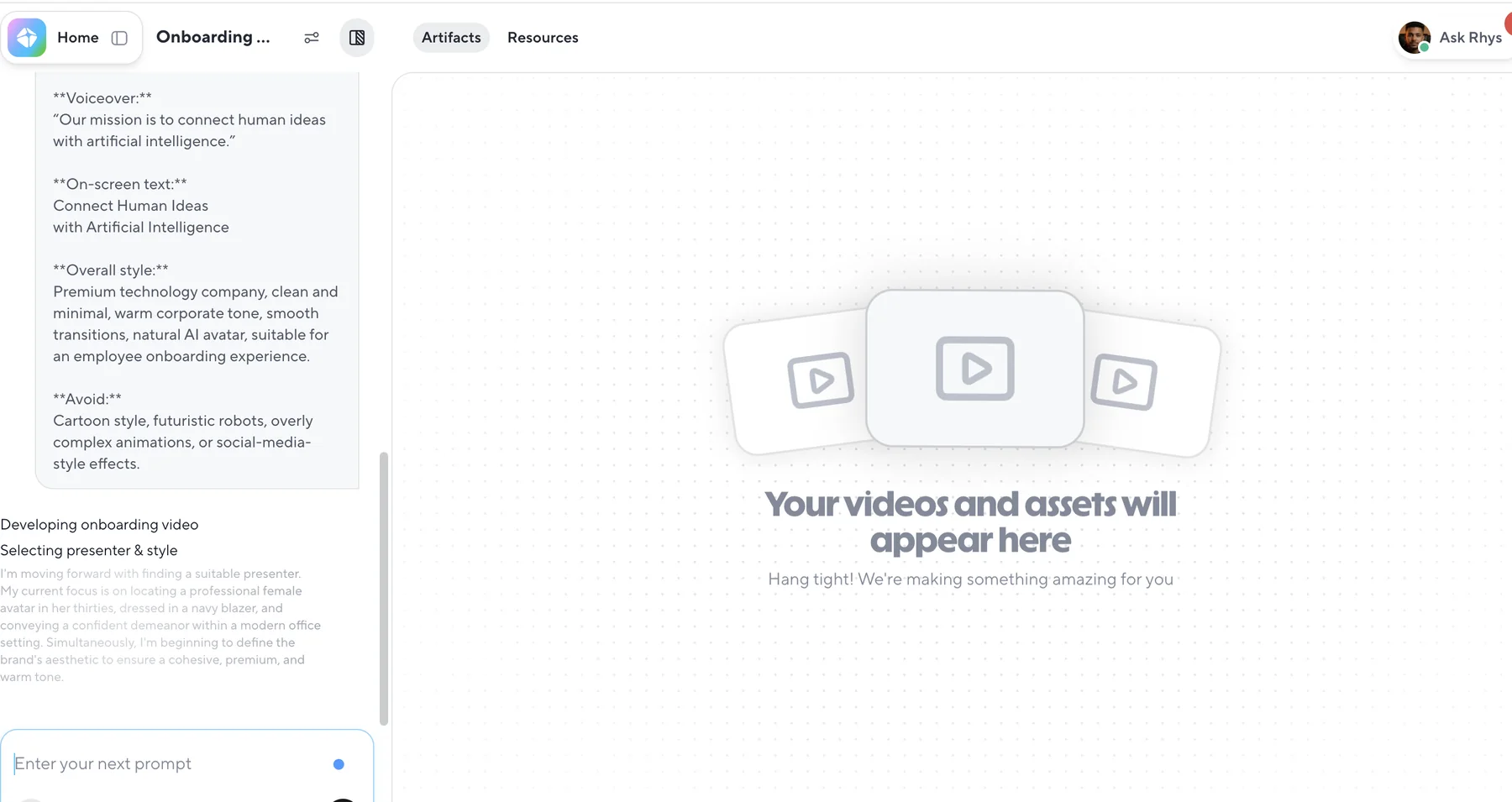
Watch our HeyGen employee onboarding test video.
This video documents one practical workflow, not a standardized quality or performance benchmark.
Colossyan — Training-Focused Onboarding Workflow
Colossyan's template selection included an onboarding category, which gave us a relevant starting point for the fictional welcome scenario. We then worked with the presenter, scenes, and script in its editor.
The editor displayed a specific notice in our session: “The preview has no lip movements. You need to generate the video to make it visible.” We treat that as a limitation of the preview we tested—not a claim that generated Colossyan videos lack lip synchronization. We did not independently test every presenter model or paid plan capability.
Read our complete Colossyan review.
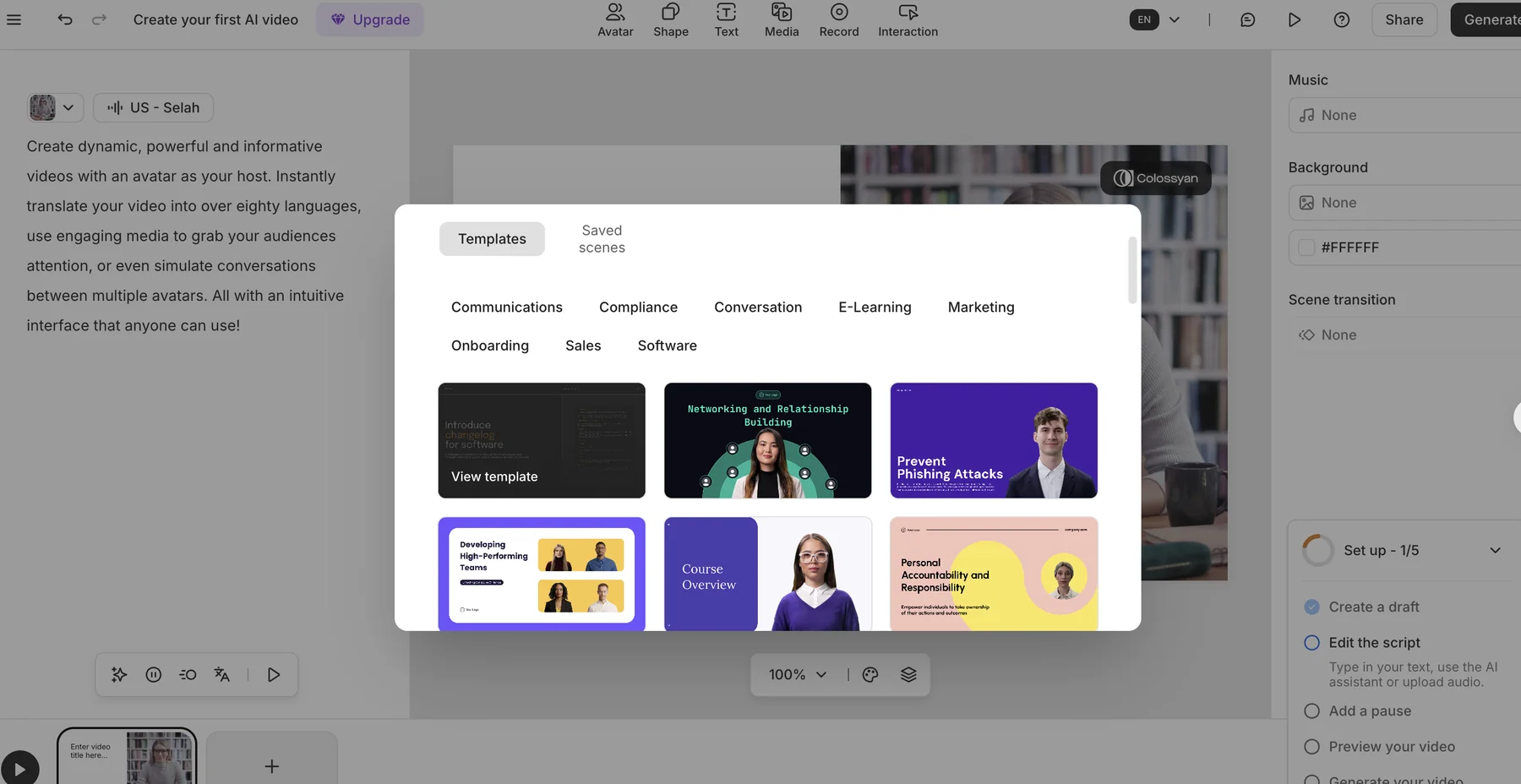
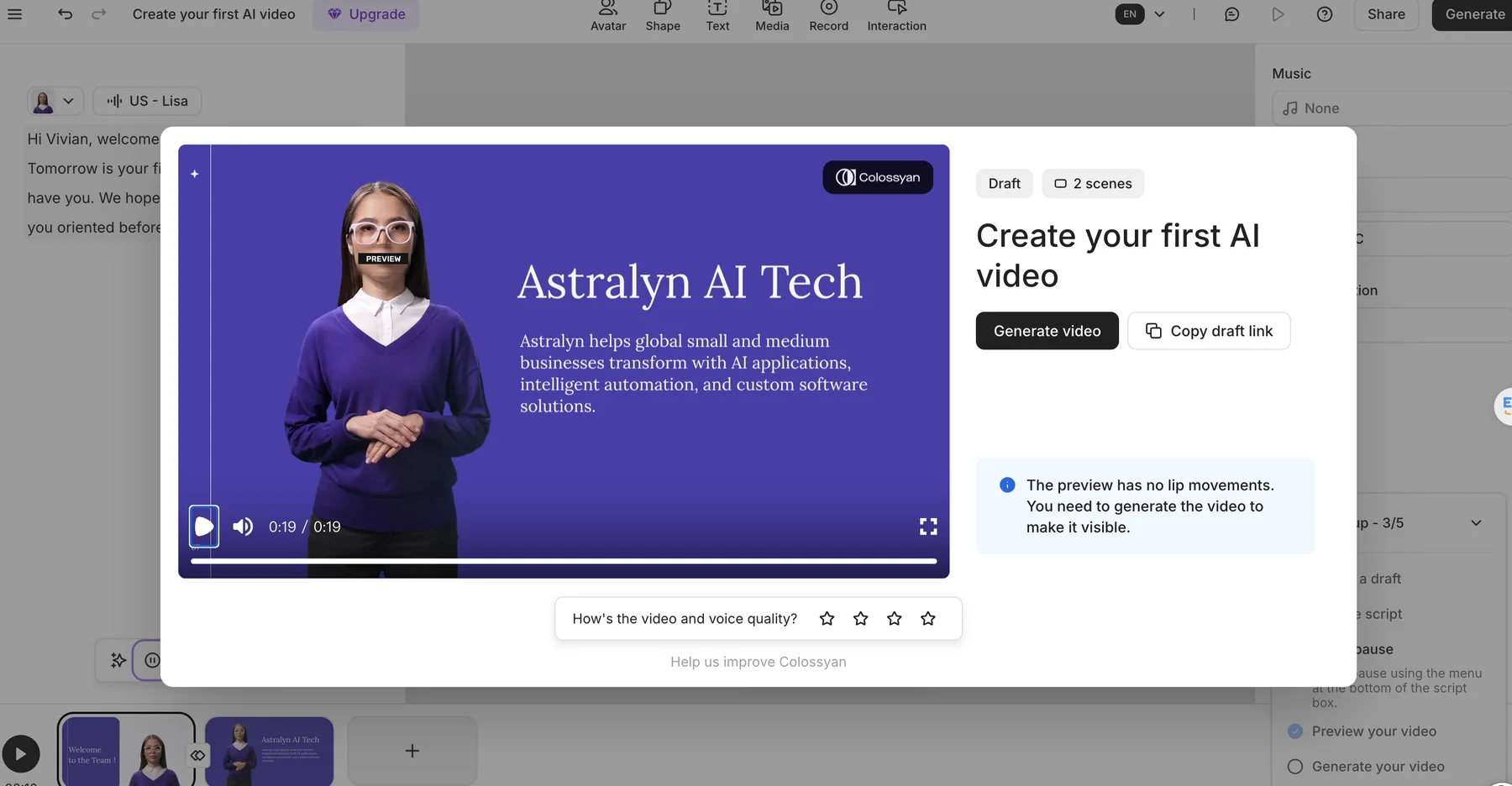
Watch our Colossyan employee onboarding test video.
This video documents one practical workflow, not a standardized quality or performance benchmark.
Descript — More Editing-Oriented Than Avatar-First
Descript suggested an AI presenter and voice pairing for the onboarding project, then gave us a combined script, audio, visual canvas, and timeline editing environment. Our “Welcome to Astralyn AI Orientation Video” included Vivian, the company introduction, and its mission.
The workflow was reasonably easy to use and offered more of an AI-assisted creation plus script/audio/timeline editing experience than an avatar-first template flow. In this subjective test, its digital presenter did not feel as dynamically realistic as the presenters we used in the first three tools. We would still consider it for HR editing workflows, but for this specific presenter-led task we personally leaned toward Synthesia, HeyGen, or Colossyan. This is an editorial impression, not a standardized avatar-quality score.
See our detailed Descript review.
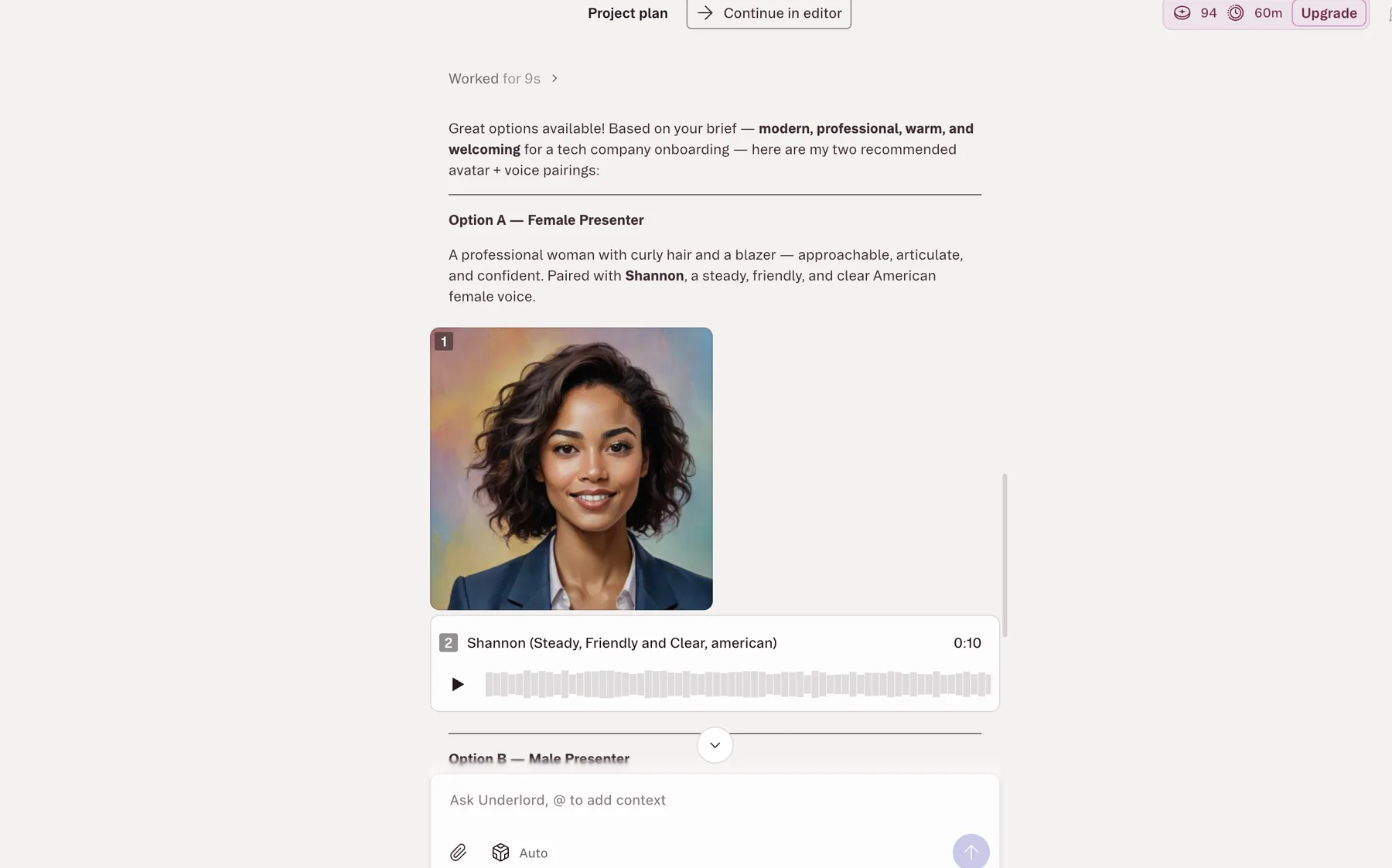
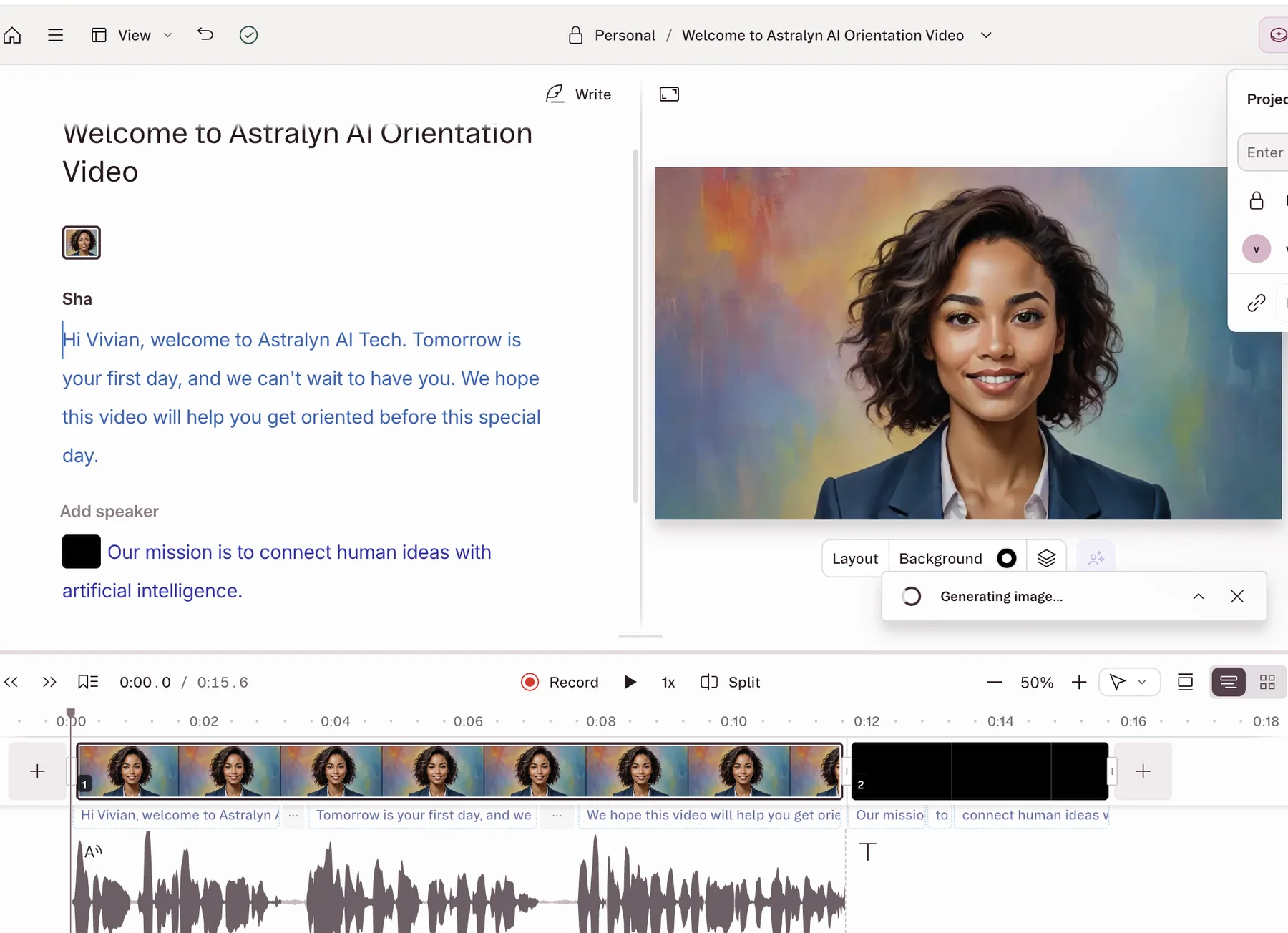
Watch our Descript employee onboarding test video.
This video documents one practical workflow, not a standardized quality or performance benchmark.
Pictory — Straightforward Prompt-to-Video Workflow
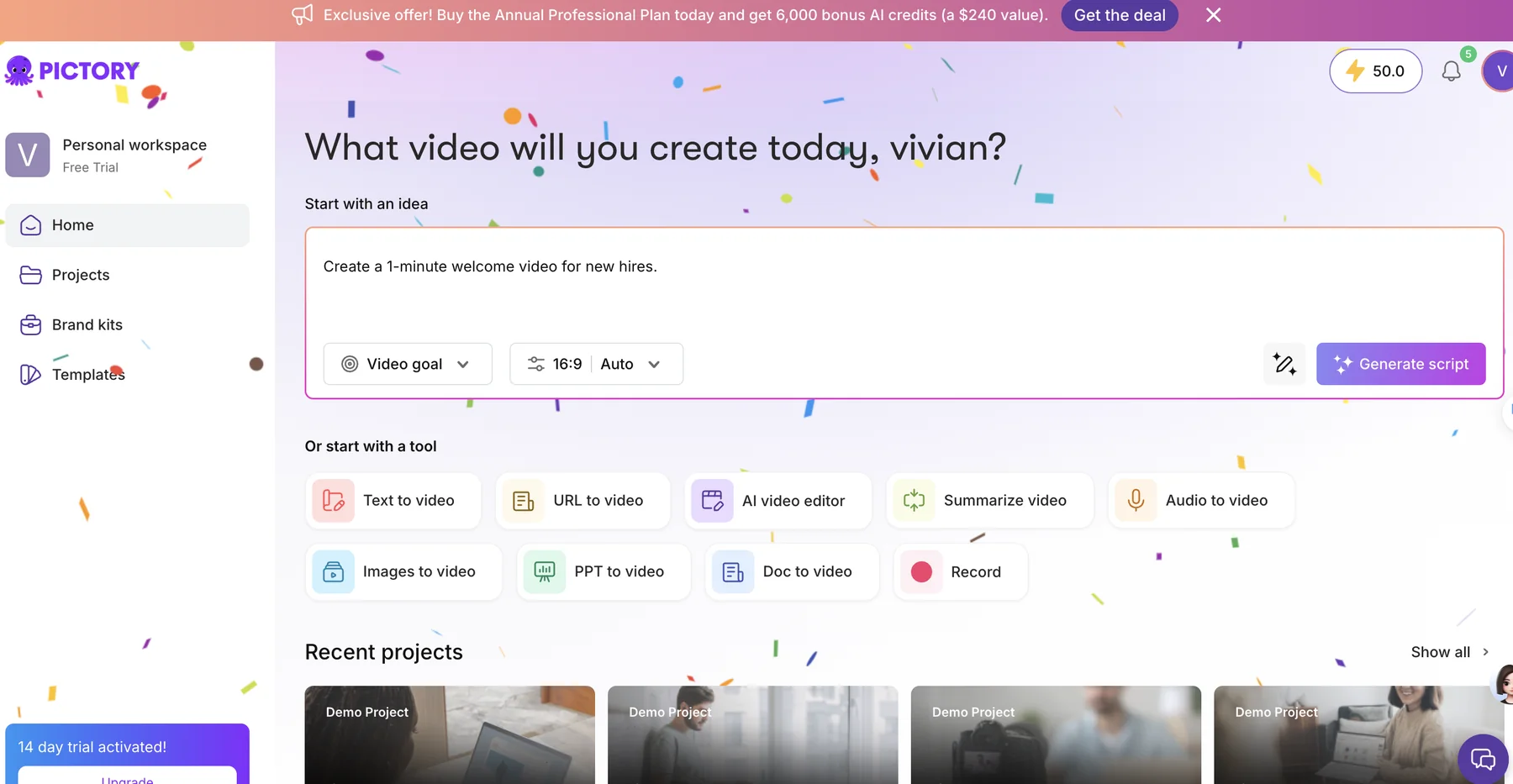
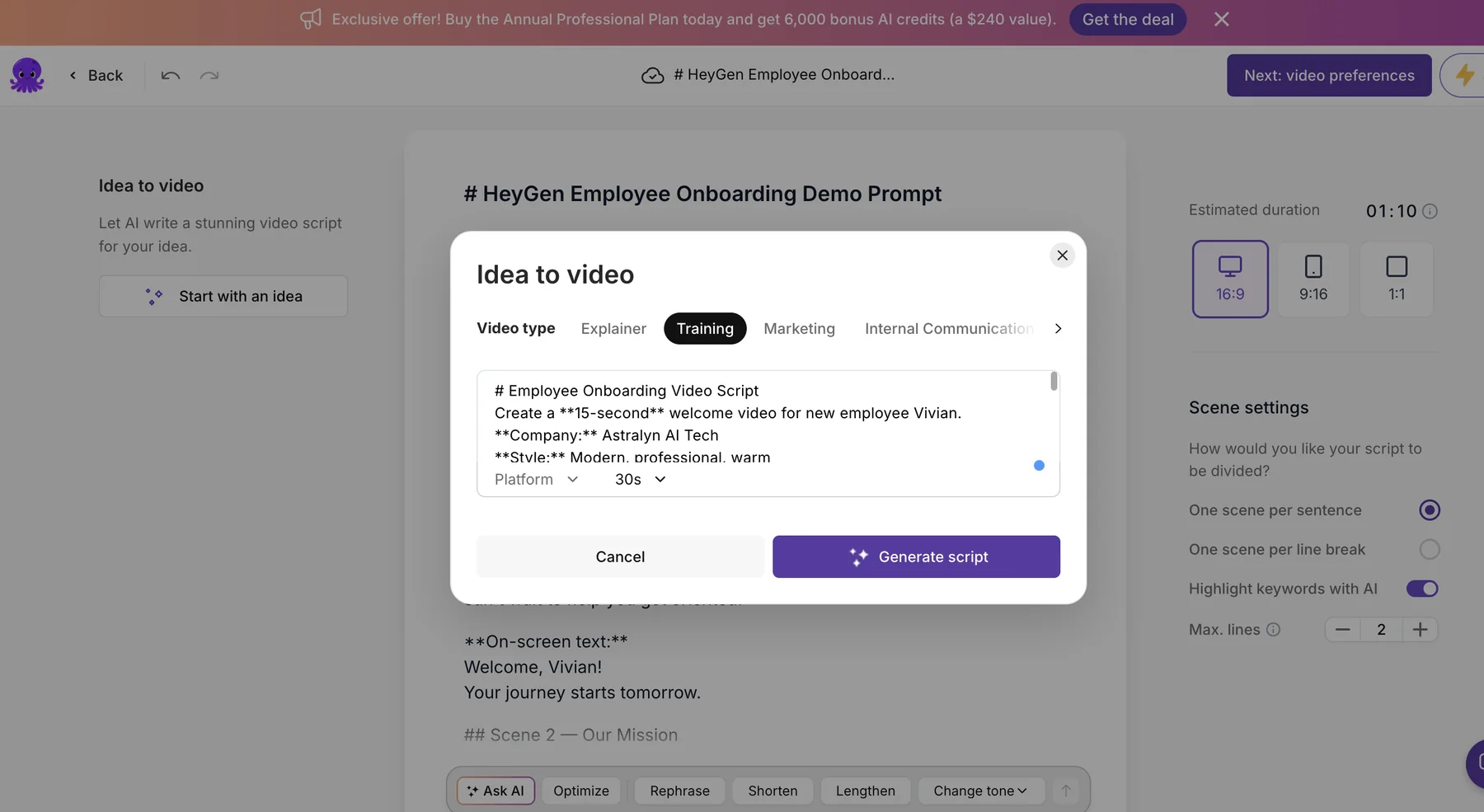
We started Pictory with the instruction “Create a 1-minute welcome video for new hires.” The AI creation workflow turned that request into an Employee Onboarding Video Script containing Vivian, Astralyn AI Tech, and the mission used across our tests.
The workflow was reasonably easy to start, and its AI-generated draft was useful in this test. We would consider Pictory for an HR workflow that begins with a written idea and develops a narrated visual sequence. For this specific avatar-led onboarding task, however, we personally leaned toward Synthesia, HeyGen, or Colossyan. This is a hands-on preference, not an overall product ranking. We did not independently test every presenter, export, collaboration, or plan feature.
Read the full Pictory review.
Watch our Pictory employee onboarding test video.
This video documents one practical workflow, not a standardized quality or performance benchmark.
Which Type of AI Onboarding Video Tool Should You Choose?
Avatar-first presentation
Consider Synthesia, HeyGen, or Colossyan when a digital presenter and structured scenes are central to the welcome experience.
Editor-led production
Consider Descript when script, voice, audio, and timeline editing flexibility are central to the workflow.
Prompt-to-visual workflow
Consider Pictory when you want to begin with a written brief and develop a narrated visual sequence.
Before choosing, run a short pilot using your own script, approval steps, accessibility needs, and delivery environment. Video creation is only one part of onboarding; verify any required HRIS, LMS, tracking, assessment, security, and governance capabilities separately.
What We Learned From Testing Five Onboarding Video Tools
Our tests showed that these tools approach employee onboarding differently. Synthesia, HeyGen, and Colossyan gave us more presenter-led workflows, while Descript offered stronger script and timeline editing and Pictory provided a straightforward prompt-to-video starting point.
For our specific welcome-video test, we personally leaned toward Synthesia, HeyGen, and Colossyan when the digital presenter was central to the experience. That preference reflects this onboarding workflow, not an overall product ranking.
The practical takeaway is to test a short onboarding script with your own branding, review process, and delivery requirements before choosing a platform.
Frequently Asked Questions
What is the best AI video tool for employee onboarding?
⌄
There is no universal best option. In our test, Synthesia, HeyGen, and Colossyan offered avatar-first workflows, while Descript and Pictory took more editor-led or script-to-video approaches. The right choice depends on how your team wants to create, review, and update onboarding content.
Can AI create employee onboarding videos?
⌄
Yes. We used five tools to create or develop the same fictional Astralyn AI Tech welcome scenario for a new employee named Vivian. Each workflow could turn a prompt or script into onboarding content, but the editing process and preview experience differed.
Can I create onboarding videos with AI avatars?
⌄
Yes. Our Synthesia, HeyGen, and Colossyan tests used avatar-focused workflows. Descript also suggested a digital presenter, but its workflow in our test placed more emphasis on script, audio, and timeline editing.
Which AI video tools are designed for corporate training?
⌄
In the interfaces we observed, Synthesia showed Training and Onboarding categories, HeyGen showed Team Onboarding and Corporate Training starting points, and Colossyan showed an Onboarding category. These are observed interface options, not an independent verification of complete corporate-training capabilities.
How did AIHubWiz test these onboarding video tools?
⌄
We tested Synthesia, HeyGen, Colossyan, Descript, and Pictory with the same core fictional brief: welcome Vivian to Astralyn AI Tech and introduce its mission. We retained original workflow screenshots and resulting test videos.