AI Compliance Training Best Practices: Best AI Video Tools for Employee Training
Published 2026-07-08 · 12 min read
AI video tools can make employee compliance training easier to produce and update, but the right platform depends on the workflow an organization actually needs. We used Synthesia, HeyGen, and Colossyan to create the same Employee Data Security Training scenario and compared the practical experience from prompt through final generation.
Synthesia felt particularly suited to structured employee training, HeyGen combined a personalized presenter and tested voice cloning with a dynamic avatar preview, and Colossyan provided guided clarification and a storyboard-oriented workflow. None removes the need for qualified human compliance review.
For broader context, see our AI training video tools and employee training guides.
Best AI Video Tools for Compliance Training
Synthesia: consider it for a structured, scene-based employee-training workflow, training-oriented templates, straightforward editing, and formal presentation.
HeyGen: consider it when a personalized presenter, hands-on-tested voice cloning, and seeing avatar movement during preview matter for recurring internal content.
Colossyan: consider it when guided questions and a storyboard help a team plan the training video before generation.
Read our Synthesia review, HeyGen review, Colossyan review, Synthesia vs HeyGen comparison, or HeyGen vs Colossyan comparison.
How We Tested These AI Compliance Training Tools
We compared setup, prompt handling, clarification questions, templates, avatars, voice, preview behavior, editing, branding, observed payment restrictions, and final training usability. We supplied the same script where possible, covering password protection, suspicious messages, and the “stop, check, and report” reminder.
The creation times reflect individual hands-on sessions and are not controlled performance benchmarks. We did not independently test SCORM, end-to-end LMS delivery, completion tracking, learning analytics, enterprise governance, APIs, legal accuracy, or every paid feature.
Synthesia for Compliance Training: Hands-On Test
In our test, Synthesia took roughly 10 minutes from setup to a usable training video using a prepared prompt. This excludes time to develop or refine a prompt from scratch. The workflow was easy to understand; template selection caused brief initial uncertainty but was quickly resolved.
We found a suitable training template and professional-looking avatar, repeatedly adjusted scenes, added a company logo, and generated a clear final result. Synthesia felt particularly well suited to structured employee training workflows. We paid for access to test its video creation workflow ourselves.
One limitation was preview. We could preview individual scenes with audio, but the avatar remained static before final generation. This made final facial movement and delivery harder to judge. This is not the same as having no preview: scene and audio preview were available.
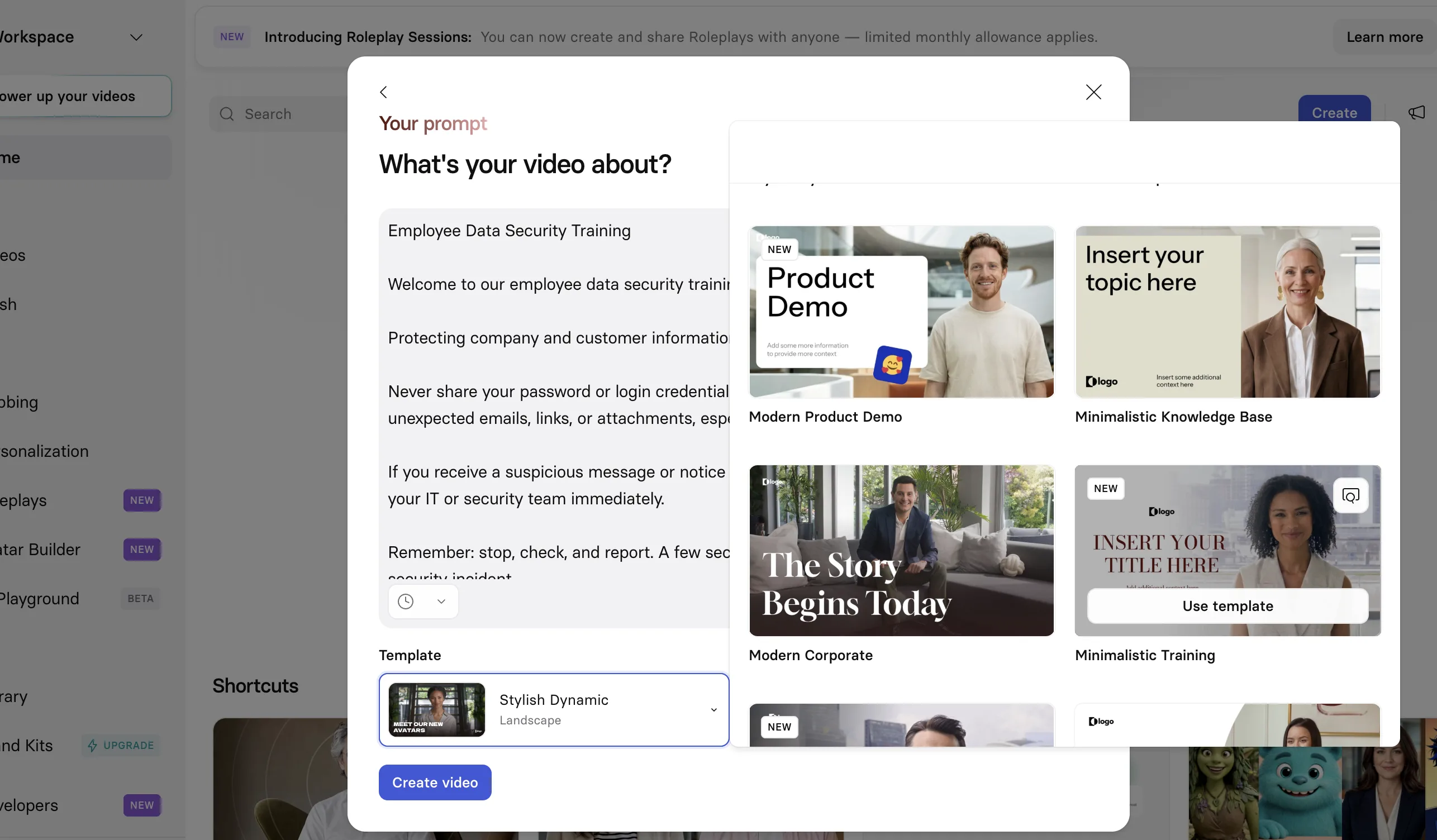
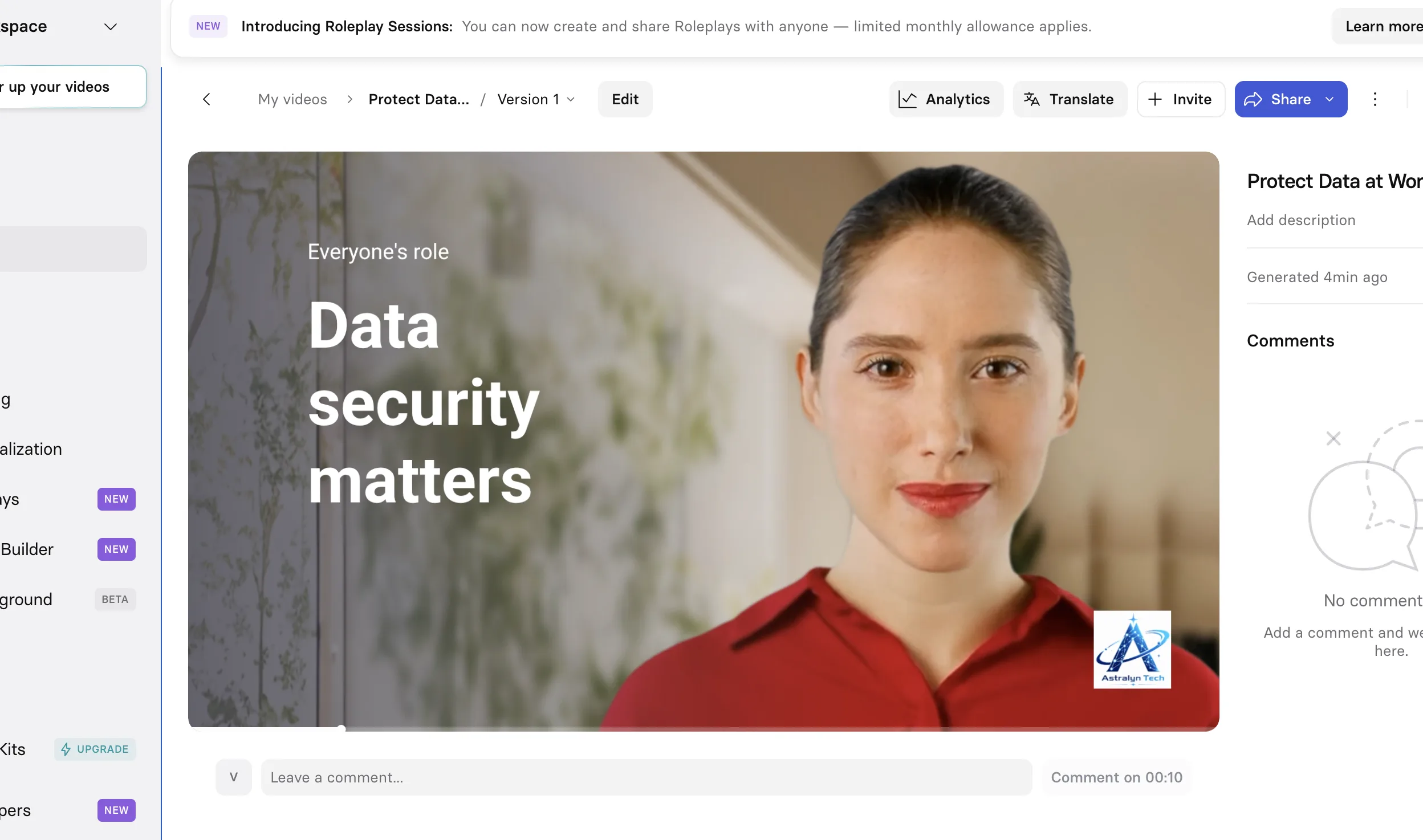
Watch our hands-on Employee Data Security Training test in Synthesia.
Supplementary evidence from our practical workflow, not a standardized performance benchmark.
HeyGen for Compliance Training: Hands-On Test
In our test, HeyGen took roughly 20 minutes from setup to a usable result. This does not prove it is consistently slower than Synthesia because the workflows differed, and exploration time, network conditions, and generation demand may have affected the session.
HeyGen was relatively easy to start. Before creation, it asked two follow-up questions that helped clarify requirements. We found relevant training templates, although they felt less extensive visually than Synthesia's options in this session.
The avatar looked natural and appropriate for formal training. Unlike Synthesia's static-avatar preview in our test, HeyGen showed the avatar moving during preview, giving us a clearer view of the final presentation before export.
Voice cloning was hands-on tested. We first provided recordings to create a voice profile. For this training video, we entered the script without recording the narration again, and HeyGen generated the video using the cloned voice. This could support a consistent presenter and voice across recurring internal content.
We also used or confirmed the personalized presenter/Digital Twin workflow. Create Digital Twin, voice options, and Brand System were visible, but we did not benchmark every advanced Digital Twin feature or test the complete Brand System workflow. The final video was good; additional download or output access presented a payment requirement in our session.
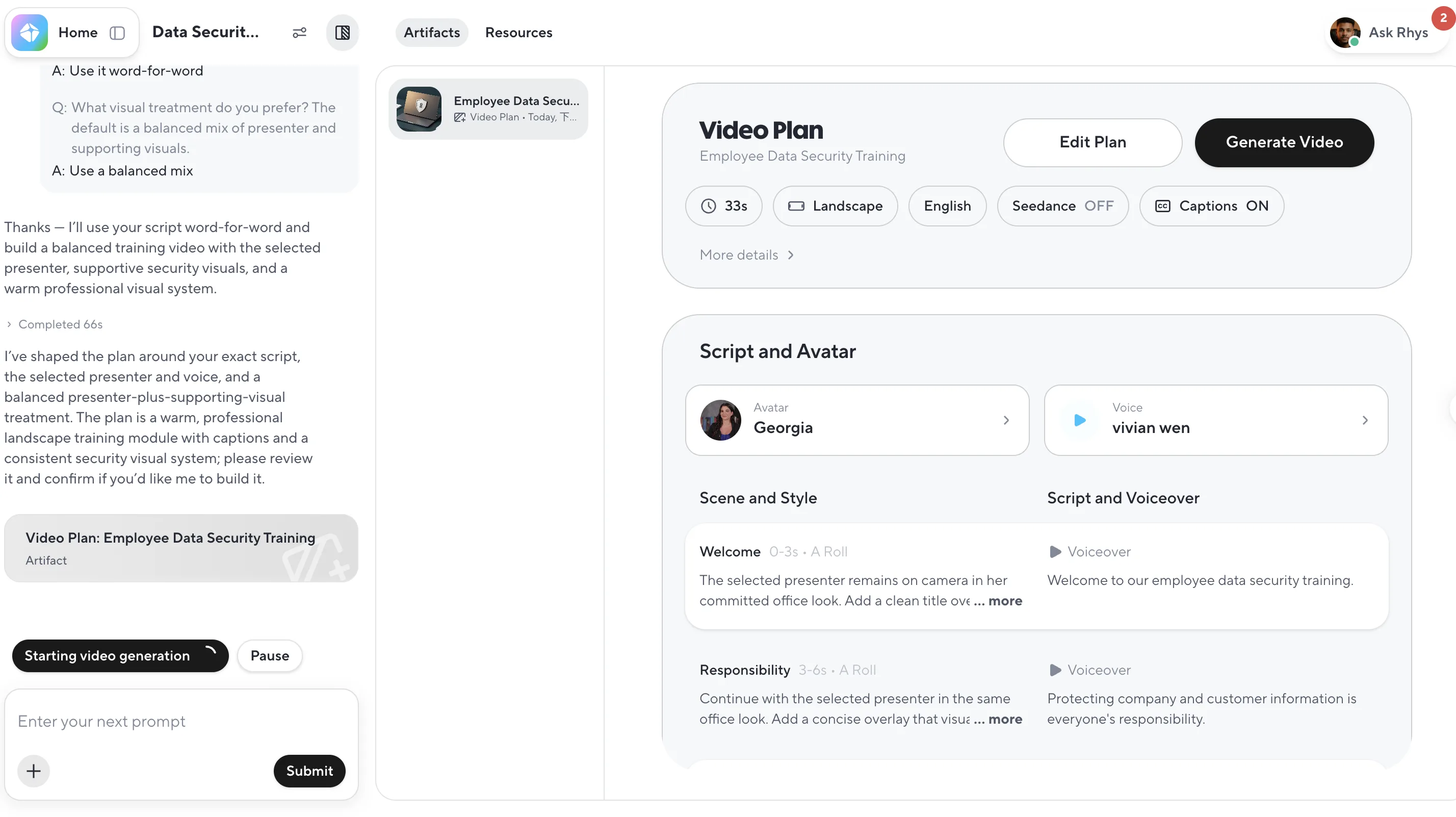
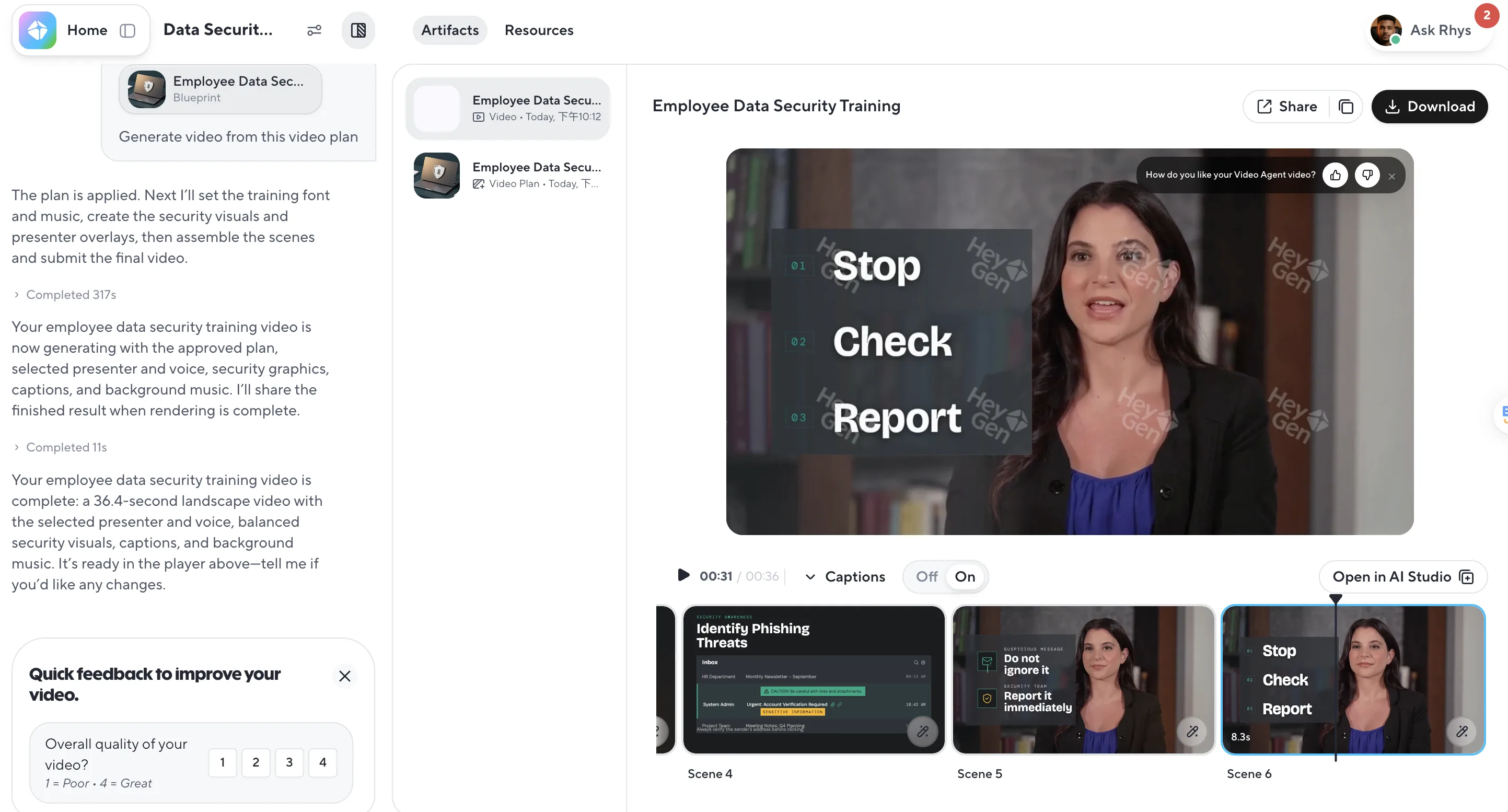
Watch our hands-on Employee Data Security Training test in HeyGen.
Supplementary evidence from our practical workflow, not a standardized performance benchmark.
Colossyan for Compliance Training: Hands-On Test
Our Colossyan session took roughly 20 minutes from setup to a usable result. This is a single-session observation, not a standardized speed benchmark. Its prompt-to-video workflow was relatively easy to start.
After receiving the prompt, Colossyan asked several follow-up questions—roughly three to five in our session—about visual style, colors, screen timing, and other presentation requirements. It used the prompt and answers to form a storyboard and video structure.
We found a security training template, and the avatar's overall naturalness was acceptable. A company logo could be added, but logo embedding required payment. Some free generation quota was visible, while selecting Neo2 also presented a payment requirement. These observations do not describe its complete pricing policy.
We did not see a realistic dynamic avatar preview before generation, so we had less opportunity to judge final movement in advance. We did not independently test voice cloning, full Neo2 capability, SCORM, LMS delivery, completion tracking, learning analytics, enterprise governance, advanced compliance management, or API.
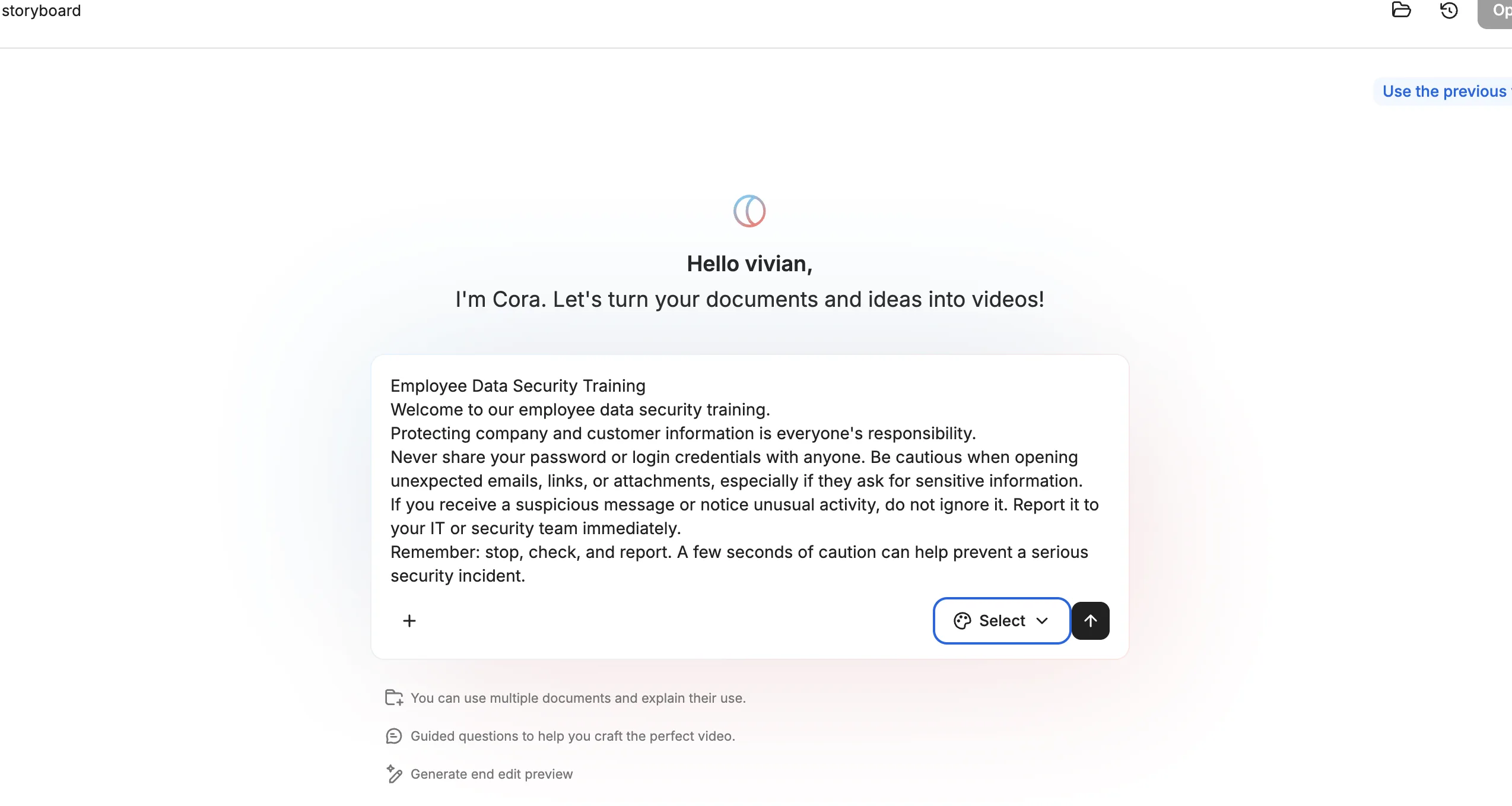
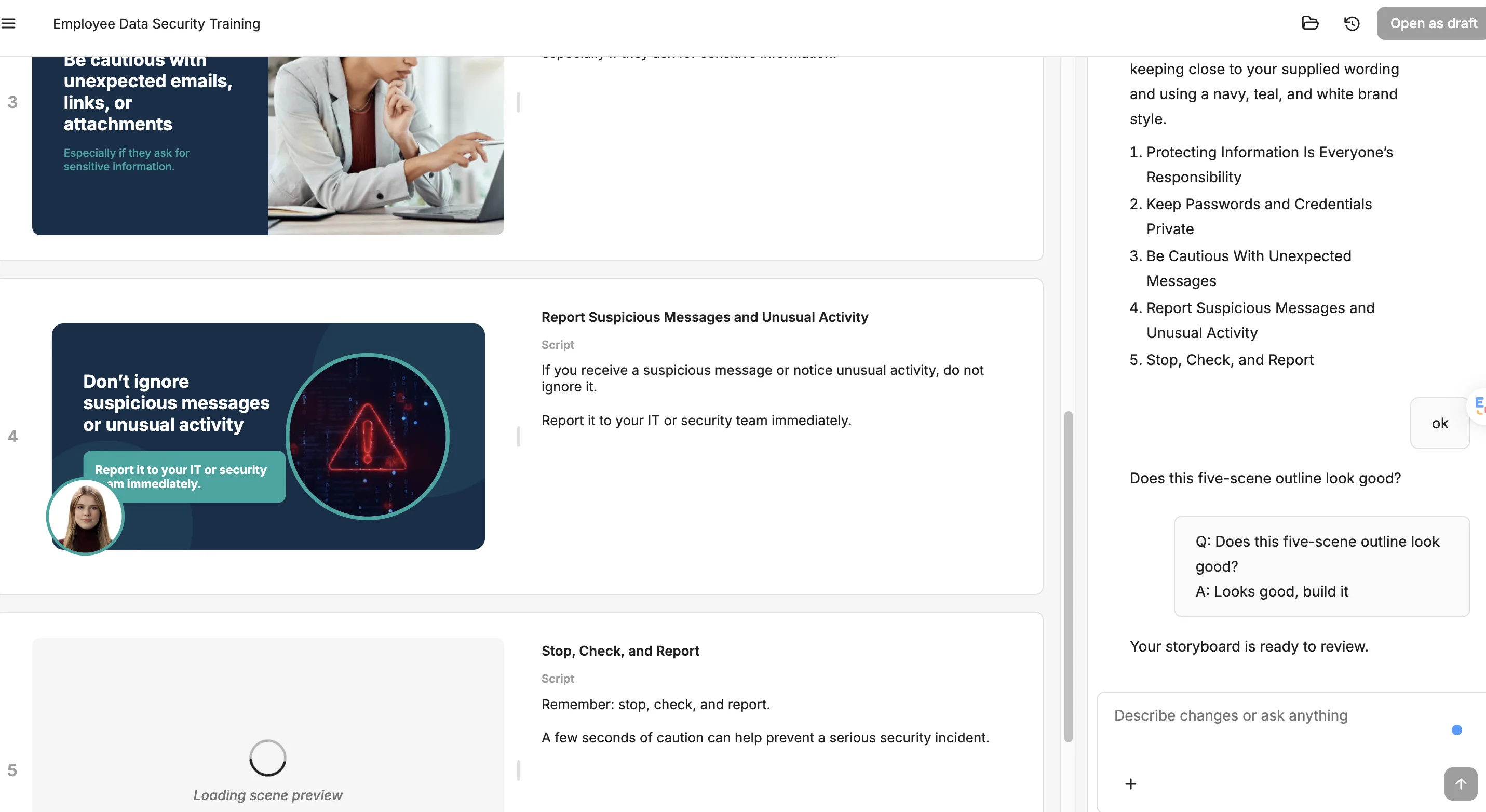
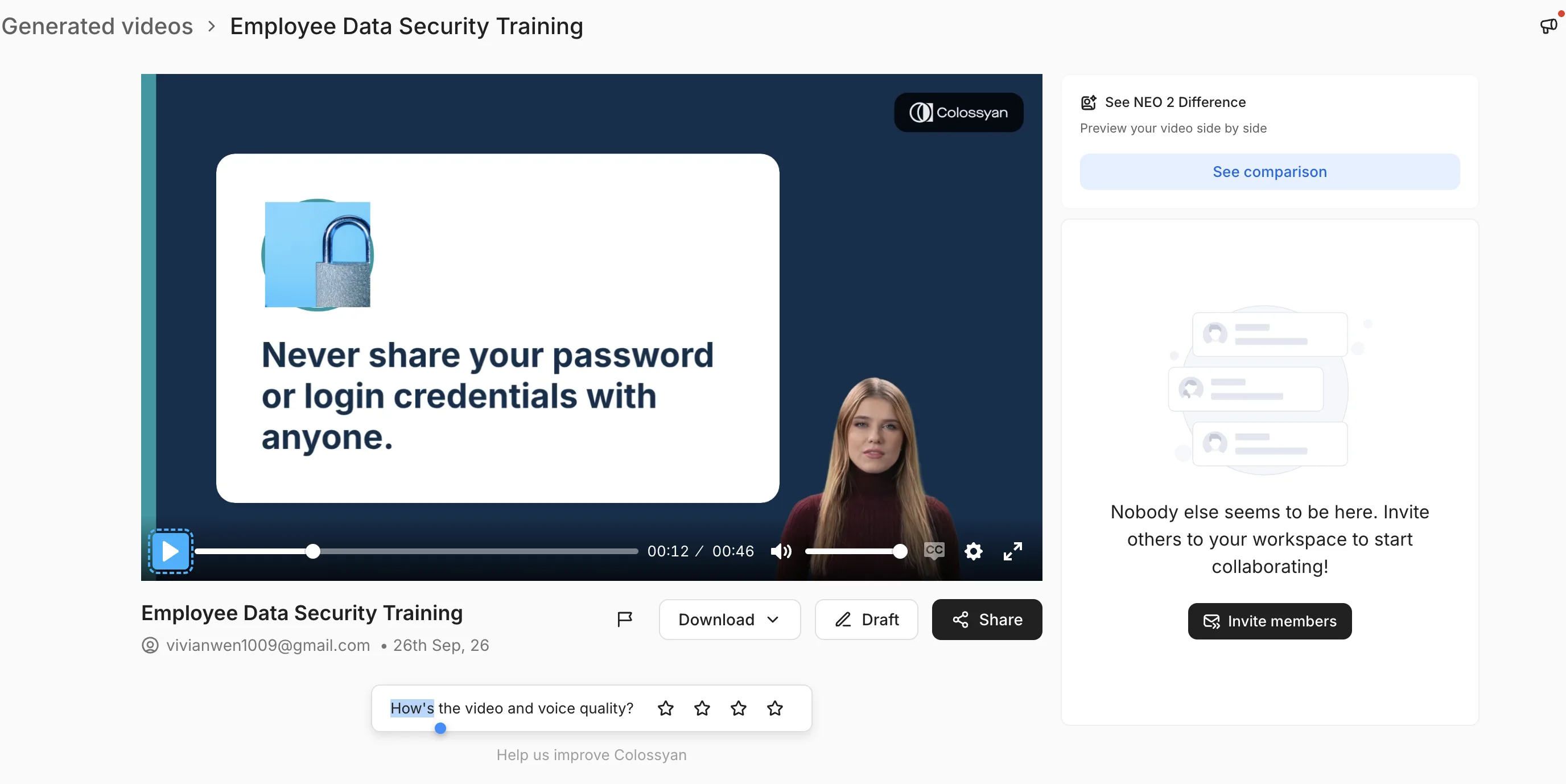
Watch our hands-on Employee Data Security Training test in Colossyan.
Supplementary evidence from our practical workflow, not a standardized performance benchmark.
Synthesia vs HeyGen vs Colossyan for Compliance Training
These findings reflect individual sessions and are not a controlled speed or quality benchmark.
| Area | Synthesia | HeyGen | Colossyan |
|---|---|---|---|
| Approx. creation time | ~10 min with prepared prompt | ~20 min | ~20 min |
| Follow-up questions | Not observed | 2 in our test | Several; roughly 3–5 in our session |
| Training template | Relevant template tested | Relevant options; felt less visually extensive | Security training template tested |
| Avatar preview | Scene/audio preview; avatar static | Movement visible during preview | No realistic dynamic preview observed |
| Voice cloning | Not independently tested | Hands-on tested with user's cloned voice | Not independently tested |
| Personalized presenter | Not benchmarked | Workflow used/confirmed | Not independently tested |
| Storyboard workflow | Scene-based editor | Pre-generation video plan | Generated from prompt and answers |
| Branding/logo | Logo added | Brand System observed; not fully tested | Logo option observed; payment required |
| Payment limits observed | Paid access used | Additional download/output restriction | Logo and Neo2 restrictions; some free generation |
| Hands-on takeaway | Structured training and editing | Presenter, cloned voice, dynamic preview | Guided clarification and storyboard |
Which Tool Fits Different Compliance Training Needs?
Consider Synthesia when:
You prioritize a structured workflow, training templates, scene editing, and formal presentation.
Consider HeyGen when:
You want a personalized presenter, repeatable cloned voice, recurring content, and dynamic preview.
Consider Colossyan when:
You value guided clarification and storyboard planning before generation.
How to Create an AI Compliance Training Video
- Define the compliance topic and learning objectives
- Prepare and approve the script
- Choose a presenter, voice, and training template
- Review the generated structure or storyboard
- Check every voice, visual, caption, and pronunciation
- Verify every compliance and company-policy statement
- Add company branding where appropriate
- Generate and inspect the final video
- Have a qualified human reviewer approve the content
- Publish through the appropriate training or LMS workflow after independently validating its requirements
AI-generated compliance content should be reviewed by an appropriate human expert before formal use. We did not test LMS delivery in these workflows.
What AI Video Tools Cannot Replace in Compliance Training
AI cannot replace human compliance review, legal judgment, company-specific policy interpretation, regulatory accuracy checks, governance, or final approval. It cannot automatically guarantee completion tracking, LMS compatibility, or audit requirements.
A qualified reviewer should confirm every instruction, caption, visual, policy reference, accessibility requirement, and retention obligation before use.
Final Takeaway
Synthesia provided a structured training workflow. HeyGen combined a personalized presenter, tested voice cloning, and dynamic preview. Colossyan used guided clarification and storyboard planning. There is no universal winner: the better fit depends on workflow, presenter needs, review process, branding, plan restrictions, budget, and independently validated delivery requirements.
Frequently Asked Questions
What should you look for in an AI video tool for compliance training?
⌄
Look for a workflow that fits your review process, suitable training templates, clear editing and preview controls, accessible captions, practical branding options, and output formats that fit your delivery environment. Also verify plan restrictions and keep qualified human review in the process.
Can AI create employee compliance training videos?
⌄
Yes. AI video tools can turn an approved script into presenter-led employee compliance training videos, add voices and visual scenes, and simplify later updates. A qualified human should still review the script and final output for policy accuracy, accessibility, legal context, and organizational requirements.
Is Synthesia good for compliance training?
⌄
Synthesia worked well in our employee data security training test. We found a structured workflow, relevant templates and avatars, editable scenes, logo placement, and a clear final video. Its scene and audio preview worked, but the avatar remained static before final generation in our workflow.
Is HeyGen good for employee training?
⌄
HeyGen was approachable in our test, asked two useful follow-up questions, showed avatar movement during preview, and produced a clear training video. We also tested voice cloning by creating a voice profile and generating the final narration from text without recording that script again.
Is Colossyan suitable for training video creation?
⌄
Colossyan provided a guided workflow in our test. It asked roughly three to five questions about presentation choices, created a storyboard, offered a relevant security training template, and produced a usable final video. We did not observe a realistic dynamic avatar preview before generation.
Can AI compliance training videos be used in an LMS?
⌄
A finished video may be uploaded or linked within many learning systems, but video delivery is not the same as native SCORM packaging, completion tracking, assessments, or verified LMS compatibility. We did not test end-to-end LMS delivery in these workflows, so confirm formats and tracking behavior with your LMS and vendor plan.
Should AI-generated compliance training be reviewed by a human?
⌄
Yes. An appropriate subject-matter expert should review AI-generated compliance training before employees receive it. Human review is needed for legal and policy accuracy, current requirements, accessibility, clear instructions, and any records or acknowledgements the organization must retain.